
AI is changing how designers work. Not by replacing judgment, but by expanding what's possible before a single decision is made. Here's how AI inside of Figma is helping our team explore faster, iterate wider, and stay in flow.
AI as a Design Partner
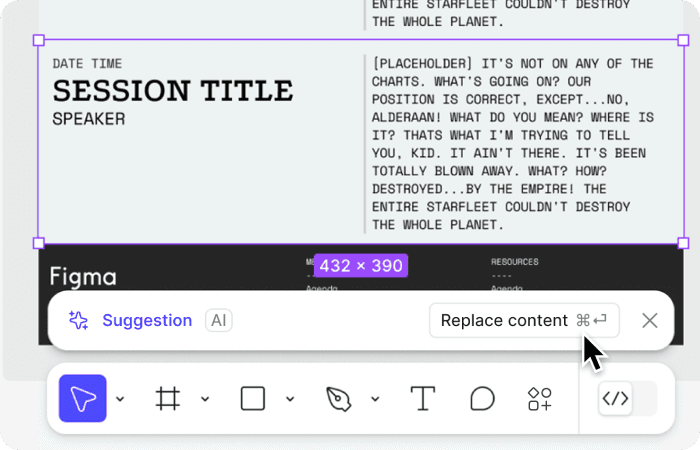
Replace content
AI helps teams quickly replace placeholder or duplicated text with realistic, context-aware content—making designs easier to review, validate, and discuss earlier with stakeholders.
Make & Edit Images
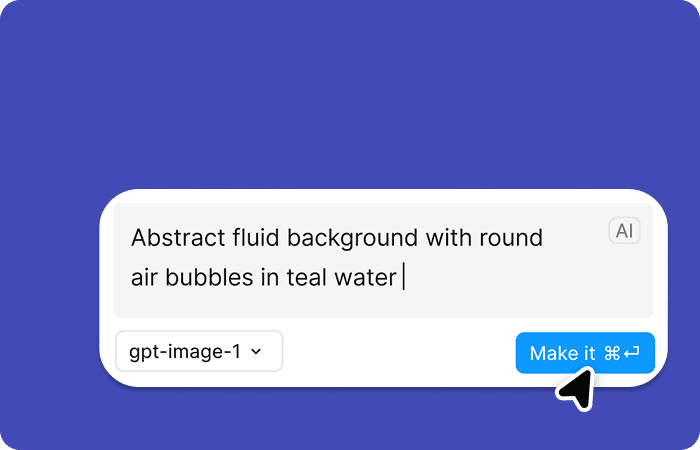
AI accelerates visual exploration by generating and refining imagery directly in Figma — supporting faster iteration while designers maintain creative control.
First Draft
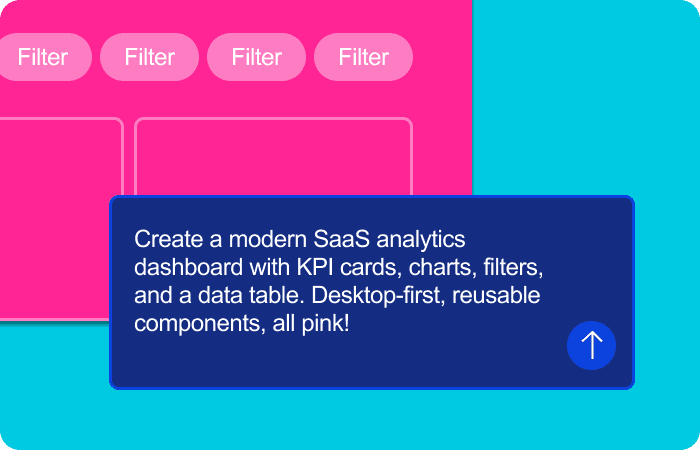
AI translates intent into an initial layout or structure, giving teams a tangible starting point to evaluate hierarchy, flow, and direction before refining details.
Add Interactions
AI assists in defining interactions and behaviors, helping teams explore how an interface responds to users without manually wiring every state from scratch.

“
UDig envisioned transforming the site from a static marketing channel into a useful tool supporting customer actions.
Where Design Meets Delivery
The features above are just the beginning. Figma is going further, enabling teams to move from intent to interface with tools that change not just how we design, but when design can begin.
Figma Make: Turning Intent Into Interface
Figma Make allows teams to move from idea to interface faster by translating goals into an initial UI structure. Rather than starting from a blank canvas, designers can describe what they’re trying to build and generate a first draft that can be evaluated, refined, and aligned with business and user needs. For cross-functional teams, this means design conversations start earlier and with more clarity — centered on outcomes, tradeoffs, and feasibility instead of pixels alone.
Faster Iteration, Better Decisions
AI-assisted design enables rapid exploration of layouts, flows, and variations without rebuilding from scratch. This speed isn’t about cutting corners; it’s about improving decision- making. When teams can see and react to options quickly, they’re able to test assumptions, identify risks, and converge on stronger solutions. Designers remain responsible for judgment, ensuring that what moves forward is intentional, usable, and grounded in real constraints.
When Speed Exposes Ambiguity
With AI used in design practices, the risk isn’t poor output, but mistaking something that looks complete for something that’s correct. Strong teams treat AI output as a hypothesis, validating it against real operational needs, technical feasibility, and user behavior before moving forward.
Design and Delivery
Figma Sites brings design closer to implementation by allowing teams to structure and publish websites directly from Figma. This reduces handoff friction and helps preserve design intent through build. AI features support faster setup and consistency, while designers and developers stay aligned on responsiveness, hierarchy, and behavior. The result is a smoother path from concept to production — with fewer disconnects and less rework.
What This Signals About Our Team
Tools like Figma Make and Figma Sites reflect a broader shift in how modern design teams operate. Our role is not just to create interfaces, but to define systems, clarify goals, and support effective decision-making across disciplines. By thoughtfully integrating AI into our workflow, we’re able to work faster without sacrificing quality — and focus more energy on solving the right problems for our clients.
AI is changing how designers work. Not by replacing judgment, but by expanding what's possible before a single decision is made. Here's how AI inside of Figma is helping our team explore faster, iterate wider, and stay in flow.
AI as a Design Partner
Replace content
AI helps teams quickly replace placeholder or duplicated text with realistic, context-aware content—making designs easier to review, validate, and discuss earlier with stakeholders.
Make & Edit Images
AI accelerates visual exploration by generating and refining imagery directly in Figma — supporting faster iteration while designers maintain creative control.
First Draft
AI translates intent into an initial layout or structure, giving teams a tangible starting point to evaluate hierarchy, flow, and direction before refining details.
Add Interactions
AI assists in defining interactions and behaviors, helping teams explore how an interface responds to users without manually wiring every state from scratch.
“
UDig envisioned transforming the site from a static marketing channel into a useful tool supporting customer actions.
Where Design Meets Delivery
The features above are just the beginning. Figma is going further, enabling teams to move from intent to interface with tools that change not just how we design, but when design can begin.
Figma Make: Turning Intent Into Interface
Figma Make allows teams to move from idea to interface faster by translating goals into an initial UI structure. Rather than starting from a blank canvas, designers can describe what they’re trying to build and generate a first draft that can be evaluated, refined, and aligned with business and user needs. For cross-functional teams, this means design conversations start earlier and with more clarity — centered on outcomes, tradeoffs, and feasibility instead of pixels alone.
Faster Iteration, Better Decisions
AI-assisted design enables rapid exploration of layouts, flows, and variations without rebuilding from scratch. This speed isn’t about cutting corners; it’s about improving decision- making. When teams can see and react to options quickly, they’re able to test assumptions, identify risks, and converge on stronger solutions. Designers remain responsible for judgment, ensuring that what moves forward is intentional, usable, and grounded in real constraints.
When Speed Exposes Ambiguity
With AI used in design practices, the risk isn’t poor output, but mistaking something that looks complete for something that’s correct. Strong teams treat AI output as a hypothesis, validating it against real operational needs, technical feasibility, and user behavior before moving forward.
Design and Delivery
Figma Sites brings design closer to implementation by allowing teams to structure and publish websites directly from Figma. This reduces handoff friction and helps preserve design intent through build. AI features support faster setup and consistency, while designers and developers stay aligned on responsiveness, hierarchy, and behavior. The result is a smoother path from concept to production — with fewer disconnects and less rework.
What This Signals About Our Team
Tools like Figma Make and Figma Sites reflect a broader shift in how modern design teams operate. Our role is not just to create interfaces, but to define systems, clarify goals, and support effective decision-making across disciplines. By thoughtfully integrating AI into our workflow, we’re able to work faster without sacrificing quality — and focus more energy on solving the right problems for our clients.
Meet the Author
Meet the Author

Kelly May Sheehan
Consultant, Design
Kelly May is a Consultant on the Design team.

Kelly May Sheehan
Consultant, Design
Kelly May is a Consultant on the Design team.
Kelly May Sheehan
Consultant, Design
Kelly May is a Consultant on the Design team.
Digging In
Related Insights
Digging In
Related Insights
Digging In