
Config 2025 kicked off with a bang on Day 1. Figma’s annual conference brings together designers, developers, and all those involved in the making of a product. The 2-day event has a stacked lineup of accomplished speakers ready to share their insights on the world of product building.
At today’s opening keynote, the Figma team, led by CEO Dylan Field, announced four exciting new products and one new feature for Figma Design:
Grid: Figma made it known that they pay close attention to their users by implementing a long-awaited grid feature. This advancement of auto-layout will make digital product design even easier by allowing designers to snap objects into a grid with customizable padding, spacing, and sizing.
Figma Sites: Designers and developers can now publish a web design directly from Figma into a fully working website. Designers can pop their creations right into a Sites file, and developers can access and edit the website’s code. Sites will also allow for product teams to publish their website with a custom domain.
Figma Draw: For designers who want to breathe a little more life into their work, Figma Draw is going to change the game. Vector editing, custom brush strokes, pattern fills, and textures are just a few of the 22 new features included with Draw that will bring design customization to a whole new level.
Figma Buzz: Buzz will revolutionize the relationship between product designers and marketers. With simple tools to mass create assets plus seamless integration with Figma’s variables and template features, marketers can promote their products with ease while staying in touch with their design team’s constant updates.
Figma Make: This final product is still in testing, but I cannot wait to give it a try after hearing about it at Config 2025. Make utilizes AI to make prototypes smarter and more interactive. The demo showcased how users can prompt Make to create specific interactions within an existing design. The product will eventually go even further, allowing for 3D rendering and movement through a design.
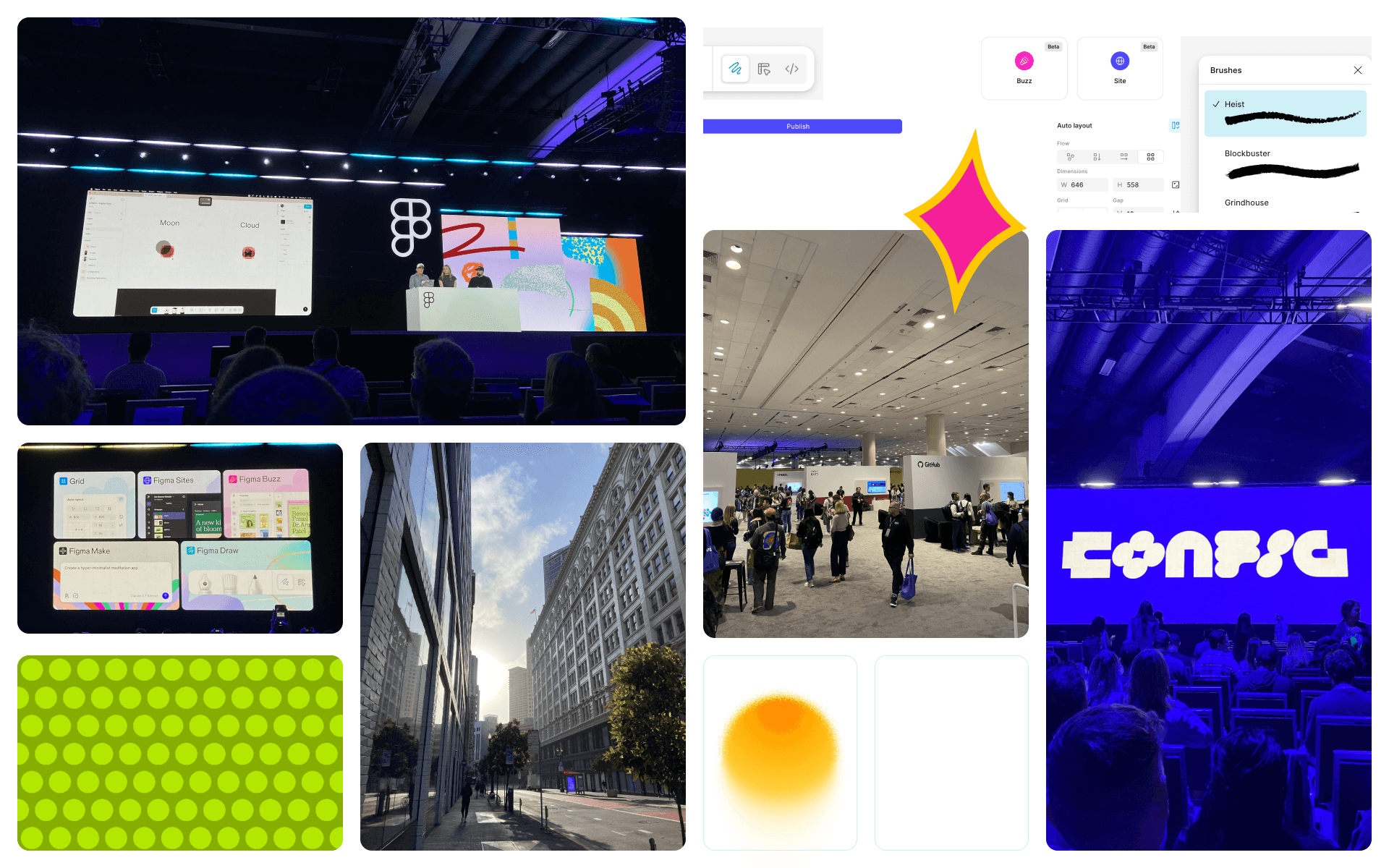
Following the opening keynote, I stuck around for the Figma Draw Deep Dive and got a better look at the breadth of features Draw has to offer. I then moved to the Level 2 stage, where I heard from Cheechee Lin on the power of prototyping to influence decisions, Subham Agarwal on the process and impact of killing a product, and Wojtek Dziedic on how to create an engaging pitch.
Key Takeaways
1. “Prototyping turns ideas into innovations” - Cheechee Lin
Prototyping is a key communication tool for designers. By showing stakeholders or team members our ideas in action via prototyping, we can start more productive conversations about what works and what doesn’t.
2. The RADAR Method - Subham Agarwal
Before killing a product or feature, Read, Assess, Decide, Act, and Review. Do your homework on what’s going wrong, assess both the customer impact and the business impact, decide to pause, reiterate, or kill the product, communicate the decision to your team and users, and finally review what could be done differently next time around.
3. “Ideas don’t matter” - Wojtek Dziedic
While ideas are obviously the genesis of any product build, they can’t take off without the right pitch. Unless we communicate our ideas clearly and keep our pitches interesting, we’ll lose the faith and attention of our stakeholders, thus leaving our ideas in the dust.
The closing keynote included talks from Linear’s Karri Saarinen, Meta’s Andrew “Box” Bosworth, and the production designer of Apple TV’s Severance, Jeremy Hindle. Hindle’s talk was a major highlight, as he shared his design process from inspiration to execution. It was fascinating to see how his diverse artistic references translate into his unique point of view as a designer. His attention to detail and fusion of past and present influences motivated me to pay particular attention to the iteration phase of design and look for inspiration in unexpected places.
After an eventful first day at Config 2025 full of incredible speakers and warm introductions to people shaping the product design space, I’m looking forward to seeing what Day 2 has to offer.
Config 2025 kicked off with a bang on Day 1. Figma’s annual conference brings together designers, developers, and all those involved in the making of a product. The 2-day event has a stacked lineup of accomplished speakers ready to share their insights on the world of product building.
At today’s opening keynote, the Figma team, led by CEO Dylan Field, announced four exciting new products and one new feature for Figma Design:
Grid: Figma made it known that they pay close attention to their users by implementing a long-awaited grid feature. This advancement of auto-layout will make digital product design even easier by allowing designers to snap objects into a grid with customizable padding, spacing, and sizing.
Figma Sites: Designers and developers can now publish a web design directly from Figma into a fully working website. Designers can pop their creations right into a Sites file, and developers can access and edit the website’s code. Sites will also allow for product teams to publish their website with a custom domain.
Figma Draw: For designers who want to breathe a little more life into their work, Figma Draw is going to change the game. Vector editing, custom brush strokes, pattern fills, and textures are just a few of the 22 new features included with Draw that will bring design customization to a whole new level.
Figma Buzz: Buzz will revolutionize the relationship between product designers and marketers. With simple tools to mass create assets plus seamless integration with Figma’s variables and template features, marketers can promote their products with ease while staying in touch with their design team’s constant updates.
Figma Make: This final product is still in testing, but I cannot wait to give it a try after hearing about it at Config 2025. Make utilizes AI to make prototypes smarter and more interactive. The demo showcased how users can prompt Make to create specific interactions within an existing design. The product will eventually go even further, allowing for 3D rendering and movement through a design.
Following the opening keynote, I stuck around for the Figma Draw Deep Dive and got a better look at the breadth of features Draw has to offer. I then moved to the Level 2 stage, where I heard from Cheechee Lin on the power of prototyping to influence decisions, Subham Agarwal on the process and impact of killing a product, and Wojtek Dziedic on how to create an engaging pitch.
Key Takeaways
1. “Prototyping turns ideas into innovations” - Cheechee Lin
Prototyping is a key communication tool for designers. By showing stakeholders or team members our ideas in action via prototyping, we can start more productive conversations about what works and what doesn’t.
2. The RADAR Method - Subham Agarwal
Before killing a product or feature, Read, Assess, Decide, Act, and Review. Do your homework on what’s going wrong, assess both the customer impact and the business impact, decide to pause, reiterate, or kill the product, communicate the decision to your team and users, and finally review what could be done differently next time around.
3. “Ideas don’t matter” - Wojtek Dziedic
While ideas are obviously the genesis of any product build, they can’t take off without the right pitch. Unless we communicate our ideas clearly and keep our pitches interesting, we’ll lose the faith and attention of our stakeholders, thus leaving our ideas in the dust.
The closing keynote included talks from Linear’s Karri Saarinen, Meta’s Andrew “Box” Bosworth, and the production designer of Apple TV’s Severance, Jeremy Hindle. Hindle’s talk was a major highlight, as he shared his design process from inspiration to execution. It was fascinating to see how his diverse artistic references translate into his unique point of view as a designer. His attention to detail and fusion of past and present influences motivated me to pay particular attention to the iteration phase of design and look for inspiration in unexpected places.
After an eventful first day at Config 2025 full of incredible speakers and warm introductions to people shaping the product design space, I’m looking forward to seeing what Day 2 has to offer.
Meet the Author
Meet the Author

Ann Tarry
Consultant, Design
Ann is a Consultant on the Design Team based in Richmond, Virginia.

Ann Tarry
Consultant, Design
Ann is a Consultant on the Design Team based in Richmond, Virginia.
Ann Tarry
Consultant, Design
Ann is a Consultant on the Design Team based in Richmond, Virginia.
Digging In
Related Insights
Digging In
Related Insights
Digging In